Hermes 不是助理,是数字员工组织系统:Profile、Orchestrator 与 Kanban 实操版
很多人把 Hermes 当成一个更聪明的聊天助理:问问题、跑命令、改代码。但更强的用法,是把它搭成一个小型数字员工组织。不同 profile 承担不同岗位,Orchestrator 负责拆解和调度,Kanban 负责把任务变成可追踪、可恢复、可复盘的工作流。
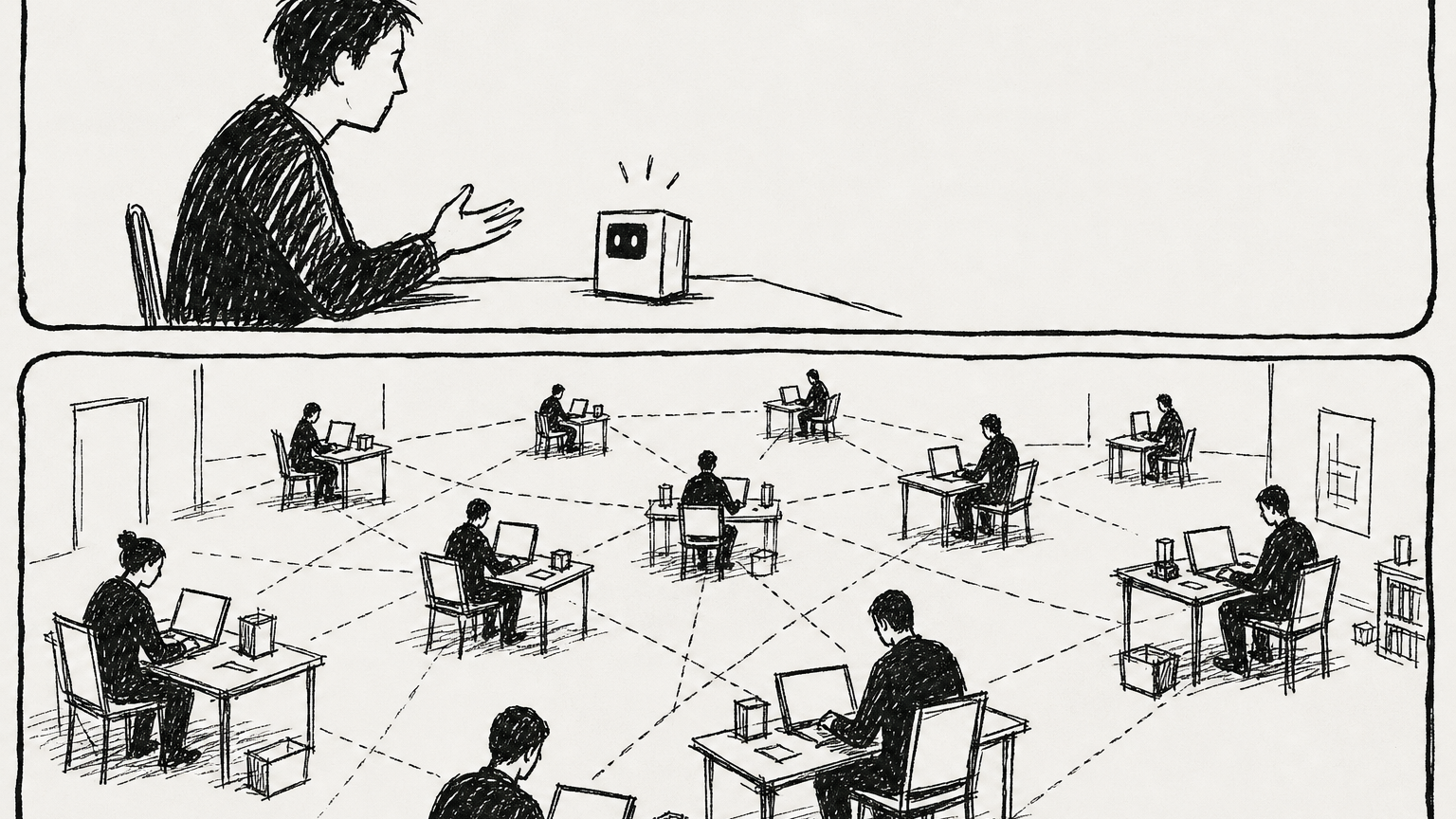
真正的变化不是回答更聪明,而是开始有组织结构。
这套系统解决什么问题
如果只用一个 AI 助理,复杂任务很容易变成黑盒:它说“我完成了”,但你不知道任务有没有拆清楚、谁做了哪一步、失败在哪里、产物放在哪里。Hermes 的数字员工系统把这件事拆成四层:
- Profile:每个数字员工的身份、记忆、工具和权限。
- Orchestrator:任务经理,不亲自做所有活,而是拆任务、派任务、串依赖、看结果。
- Kanban:持久化任务看板,记录任务状态、运行日志、评论、依赖和交付结果。
- Gateway / 飞书 / Telegram 等入口:人类把需求交给系统、补充信息、审批、接收结果。
换句话说,Hermes 不只是“一个 agent”,而是可以搭出一个最小的 AI 组织。
Profile 是员工档案
Profile 不是简单人设。它更像一个独立员工的 home directory:有自己的 config.yaml、.env、memory、sessions、skills、cron 和状态数据库。也就是说,它有独立记忆、工具、权限和工作历史。
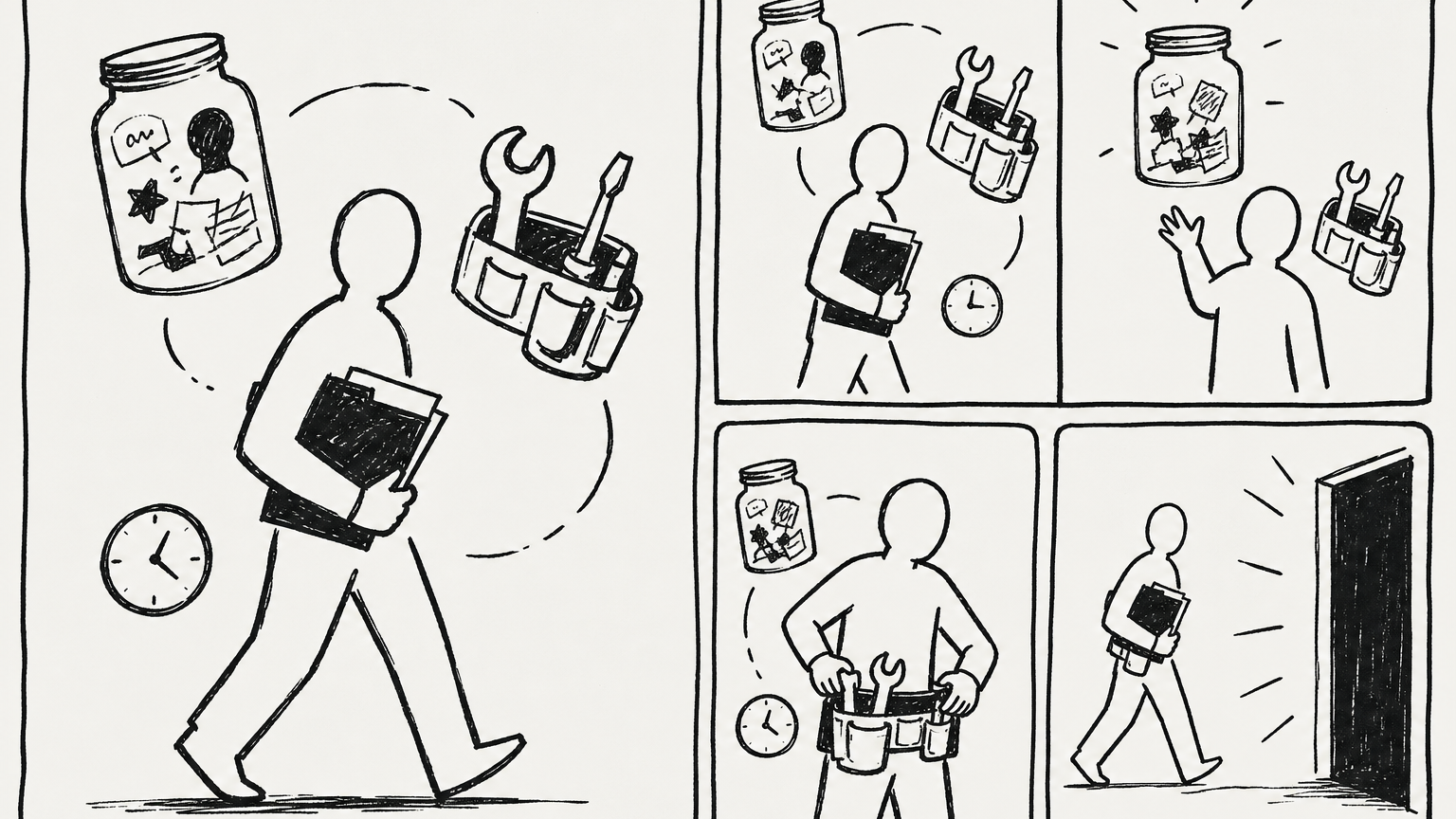
角色边界要落到文件、记忆、技能和权限上。
创建一个岗位 profile:
hermes profile create researcher --clone
hermes profile create coder --clone
hermes profile create reviewer --clone
hermes profile create writer --clone
hermes profile create orchestrator --clone
这里的 --clone 表示复制当前主 profile 的基础配置和密钥,适合快速起步。后续如果要做权限隔离,就应该逐个 profile 调整 .env、工具和模型。
查看已有员工:
hermes profile list
hermes profile show researcher
切到某个员工直接对话:
hermes --profile researcher
hermes --profile coder chat -q "检查这个仓库的测试入口"
一个 AI,拆成多个岗位
当 profile 多起来,Hermes 就不再只是“我和一个 AI 对话”,而像一个组织:orchestrator 负责拆任务,researcher 负责查资料,coder 负责实现,reviewer 负责验收,publisher 或 writer 负责对外输出。
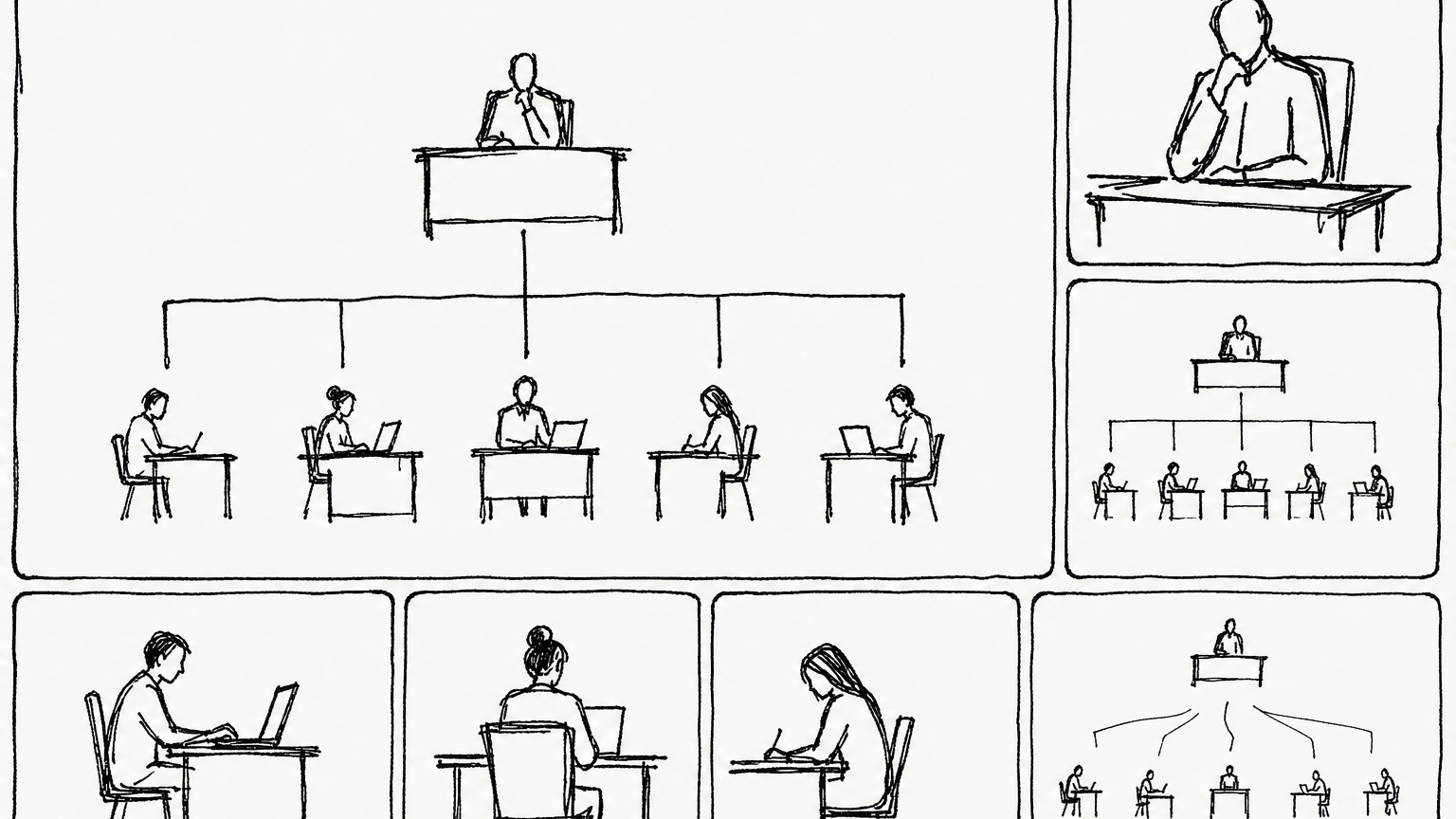
岗位化之后,任务可以被分派、复核、交接。
一个最小岗位配置可以这样理解:
orchestrator:只负责拆解、派发、链接依赖、检查进度;不要让它沉迷亲自执行。researcher:负责搜索、资料整理、竞品分析、事实核验。coder:负责代码修改、脚本实现、跑测试。reviewer:负责验收、代码审查、风险检查。writer:负责把研究或工程结果写成文章、文档、发布稿。
这不是为了“形式上多几个角色”,而是为了把复杂任务从一个大黑盒拆成可观察的责任链。
Orchestrator 是任务经理,不是万能工
Orchestrator 的关键规则是:拆解和调度优先,亲自执行靠后。它应该把目标拆成 Kanban 卡片,分配给真实存在的 profile,并用依赖关系控制先后顺序。
最推荐的启动方式,不是让普通聊天里的主 agent 临时扮演 Orchestrator,而是创建一个真正的 orchestrator profile,并让它通过 Kanban 接任务。
先确认 orchestrator skill 和 worker skill 都在:
hermes --profile orchestrator skills list | grep kanban-orchestrator
hermes --profile researcher skills list | grep kanban-worker
如果缺失,可以恢复内置 skill:
hermes --profile orchestrator skills reset kanban-orchestrator --restore
hermes --profile researcher skills reset kanban-worker --restore
然后给 Orchestrator 创建一张“根任务卡”:
hermes kanban create "拆解并组织完成:为我的产品写一篇上线介绍文章" \
  --assignee orchestrator \
  --skill kanban-orchestrator \
  --body "你是 Orchestrator。不要自己完成全部内容。请先确认已有 profile,然后拆成 research、draft、review 三类任务,给每张子任务写清楚验收标准,并用依赖关系串起来。" \
  --workspace scratch
这个任务被 dispatcher 拉起后,orchestrator worker 会通过 kanban_create、kanban_link、kanban_comment 等 Kanban 工具创建子任务。注意:worker 内部用的是工具调用,不是 shell 里执行 hermes kanban。 人类在终端里用 CLI,agent 在运行时用 kanban_* 工具,两者最终写入同一个 Kanban 数据库。
如果你想手动模拟 Orchestrator 的拆解,也可以直接用 CLI 创建依赖链:
# 1. 两个研究任务并行
hermes kanban create "调研目标用户痛点" \
  --assignee researcher \
  --body "输出 5 条真实痛点、来源链接、可引用句子" \
  --workspace scratch

hermes kanban create "调研竞品上线页写法" \
  --assignee researcher \
  --body "找 5 个竞品页面,总结标题、卖点、CTA 写法" \
  --workspace scratch

# 2. 等拿到上面两个 task id 后,创建依赖它们的写作任务
hermes kanban create "合成上线介绍文章初稿" \
  --assignee writer \
  --parent t_research_1 \
  --parent t_research_2 \
  --body "基于两个父任务结果,写一篇 1200 字中文文章,结构清晰,有标题、小节和 CTA" \
  --workspace scratch

# 3. 最后创建审核任务,依赖 writer 的结果
hermes kanban create "审核上线介绍文章" \
  --assignee reviewer \
  --parent t_writer_1 \
  --body "检查事实准确性、表达是否像人话、是否有可执行 CTA" \
  --workspace scratch
实际使用时,把 t_research_1、t_research_2、t_writer_1 换成上一步命令返回的真实 task id。
Kanban 是多 Agent 工作队列
Hermes 的 Kanban 不是普通待办列表,而是一个可持久化的多 Agent 协作看板。它把“大任务 → 拆分 → 指派 → 执行 → 日志 → 产物 → 验收”放到同一个任务板里,让你能看到每个 profile 什么时候领取任务、做了什么、失败在哪里、最终产物在哪里。
Kanban 的价值是把多 Agent 协作过程显性化,而不是只等一个最终回复。
Kanban 适合这些场景:
- 研究报告:多个 researcher 并行查不同方向,再交给 writer 汇总。
- 工程交付:coder 改代码,reviewer 审查,tester 验证。
- 内容流水线:素材收集、初稿、编辑、发布分开。
- 长期运维:每天巡检、每周复盘、失败后可重试。
- 人类参与:任务卡 blocked 后,人类补评论再 unblock。
它和 delegate_task 的区别很重要:delegate_task 更像一次函数调用,父 agent 等子 agent 返回;Kanban 更像持久化任务队列,子任务可以跨进程、跨时间、跨 profile,并保留日志和状态。
初始化 Kanban
因为 Kanban 是一个持久化工作队列,第一步要初始化数据库,并启动 gateway 里的 dispatcher。
hermes update
hermes kanban init
hermes gateway start
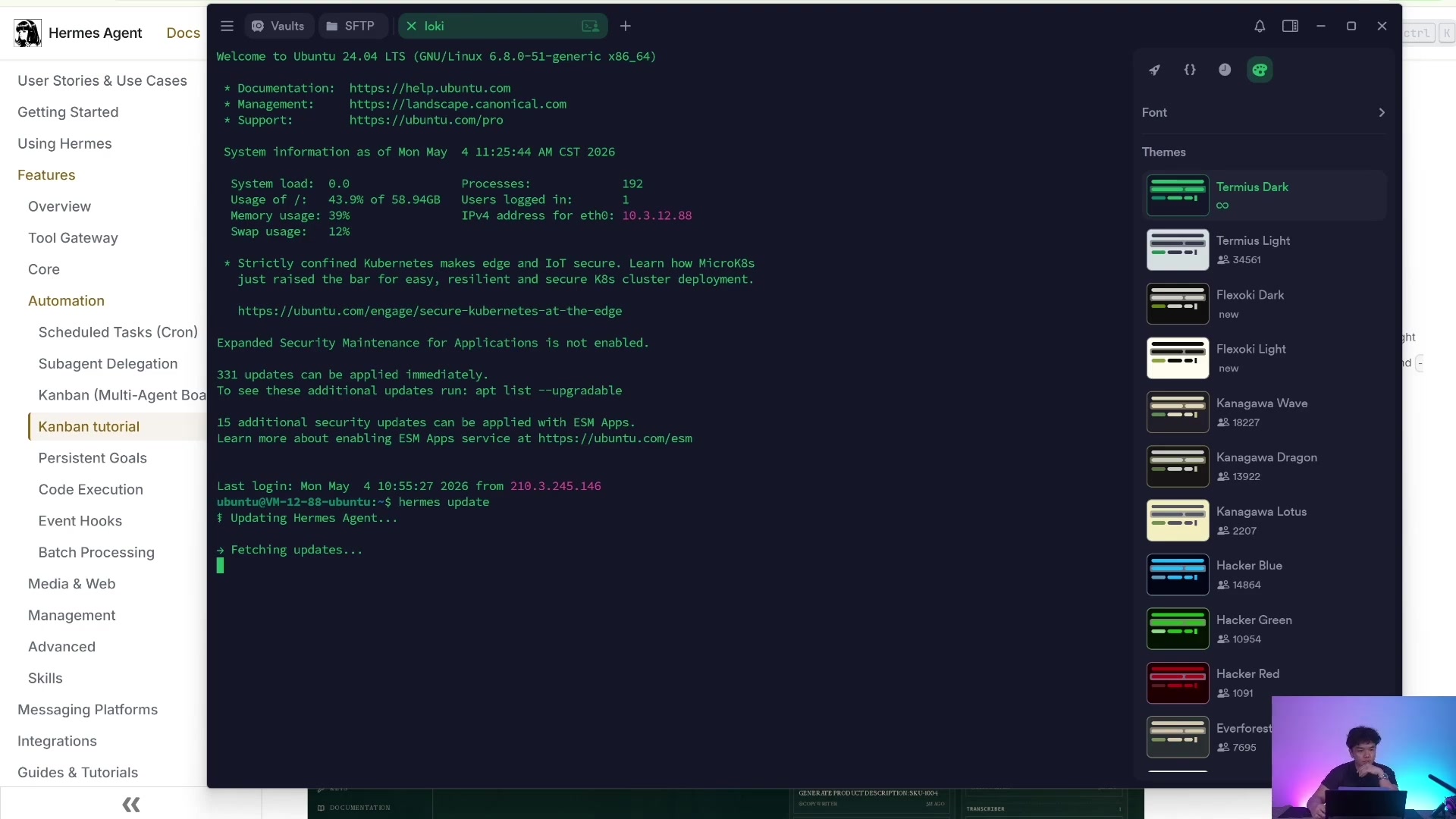
初始化完成后,会创建 Kanban 所需的本地数据库和工作区结构。
如果你有多个项目流,可以创建不同 board:
hermes kanban boards list
hermes kanban boards create content-system --name "内容生产系统" --switch
hermes kanban boards show
在不切换当前 board 的情况下操作指定 board:
hermes kanban --board content-system list
hermes kanban --board content-system create "写一篇产品文章" --assignee writer
创建并指派任务
最基础的任务创建命令是:
hermes kanban create "Research AI funding landscape" \
  --assignee researcher \
  --body "Research recent AI funding rounds and write a concise report." \
  --workspace scratch
常用参数:
--assignee researcher:指定由哪个 profile 执行。--body "...":任务说明,越具体越好。--workspace scratch:给任务一个临时工作区。--workspace dir:/absolute/path:让 worker 在一个已有目录工作,比如某个仓库或 Obsidian vault。--workspace worktree:适合代码任务,让 worker 使用 git worktree。--parent <task-id>:创建依赖,父任务完成后子任务才进入 ready。--skill <skill-name>:给这张任务卡额外加载某个 skill。--max-runtime 2h:限制单次运行时间。--max-retries 3:连续失败熔断阈值。--triage:先放到 triage 栏,之后用 specifier 扩写成完整任务。
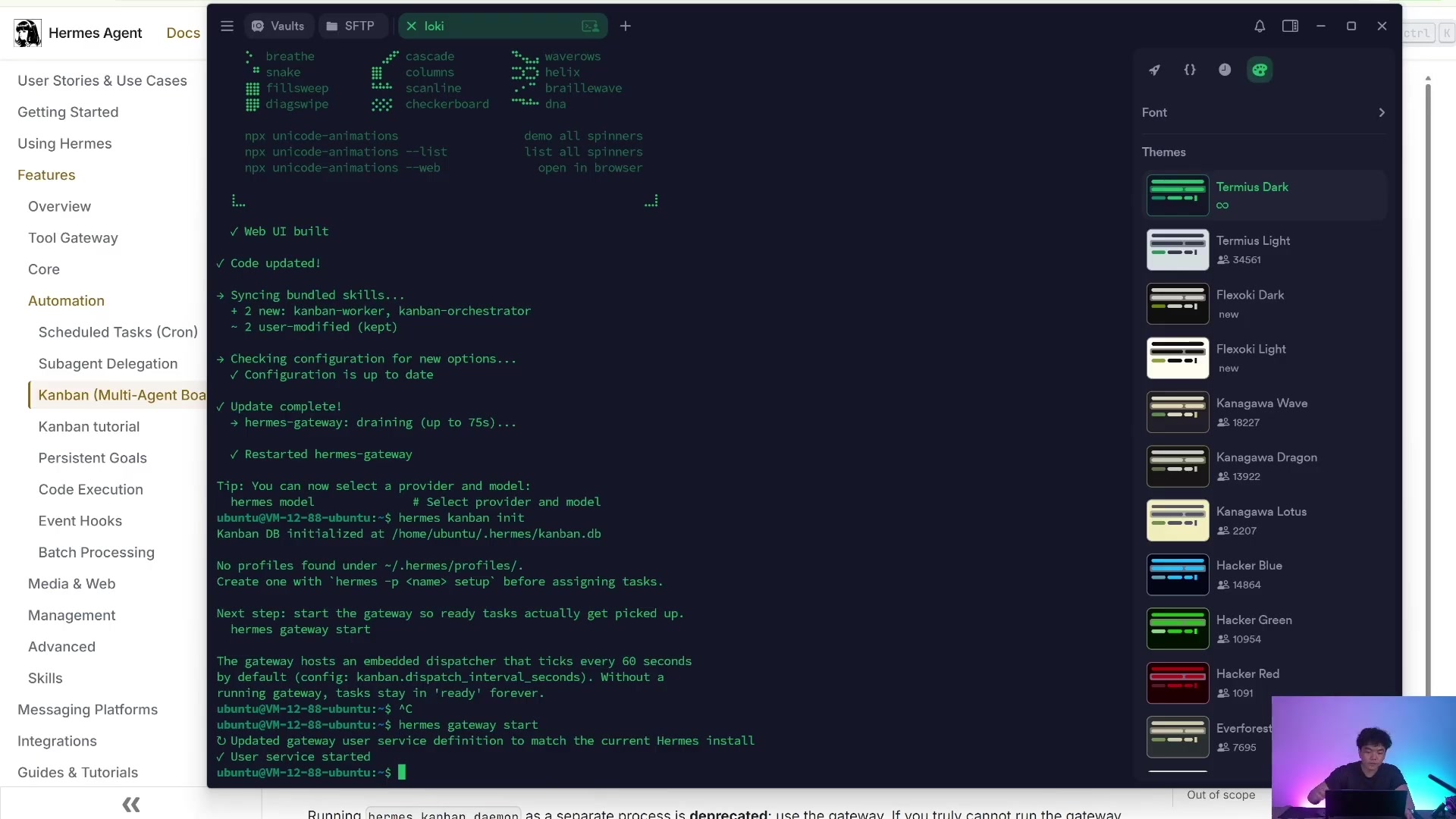
gateway 不只是消息入口,也承担 Kanban worker 调度。
观察任务执行过程
任务创建后,最常用的是这几组命令:
# 看任务列表
hermes kanban list
hermes kanban stats
hermes kanban assignees

# 看单个任务详情、上下文、运行记录
hermes kanban show <task-id>
hermes kanban context <task-id>
hermes kanban runs <task-id>

# 跟随日志和事件
hermes kanban log <task-id>
hermes kanban tail <task-id>
hermes kanban watch
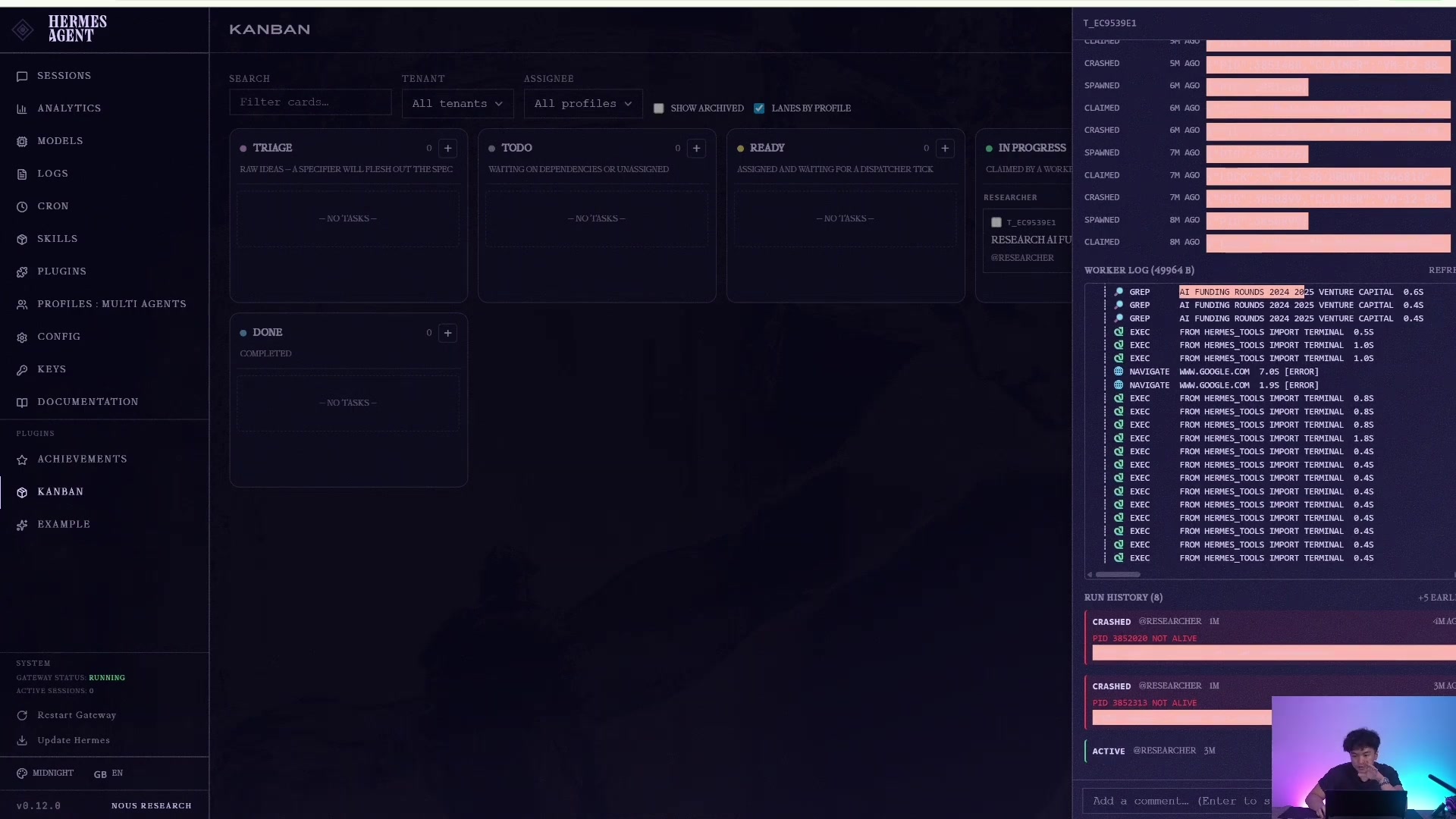
worker log 是 Kanban 相比普通对话最重要的可观测性入口。
任务完成后,可以看到它从 ready / running 进入 done,并保留结果摘要、attempt history 和 worker 交付证据。
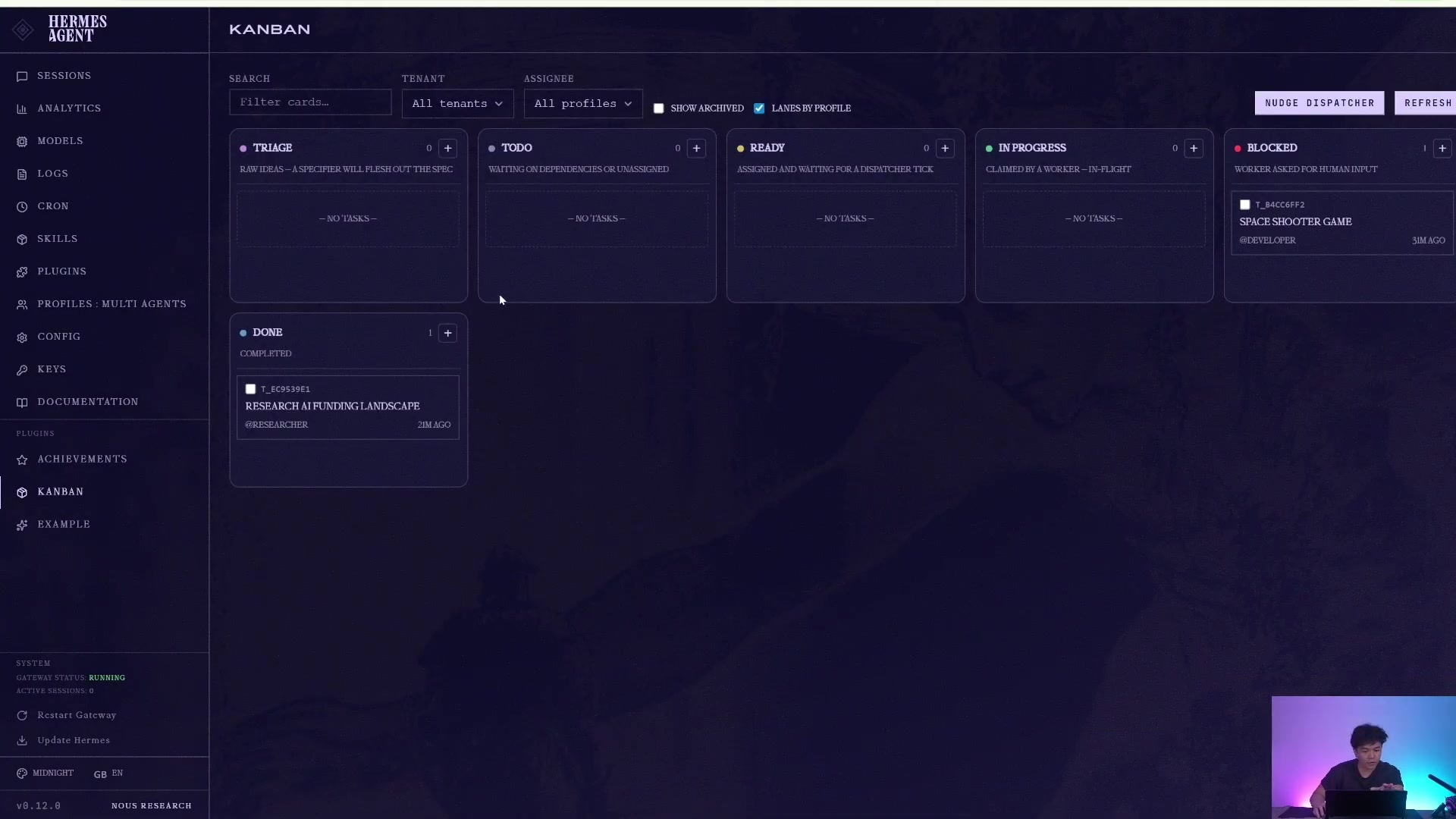
它不是只返回一句回答,而是保留执行痕迹和完成证据。
如果任务声称写了文件,但你没找到,不要只看 profile 目录。Kanban 任务产物优先在 workspace 里:
hermes kanban show <task-id>
hermes kanban context <task-id>
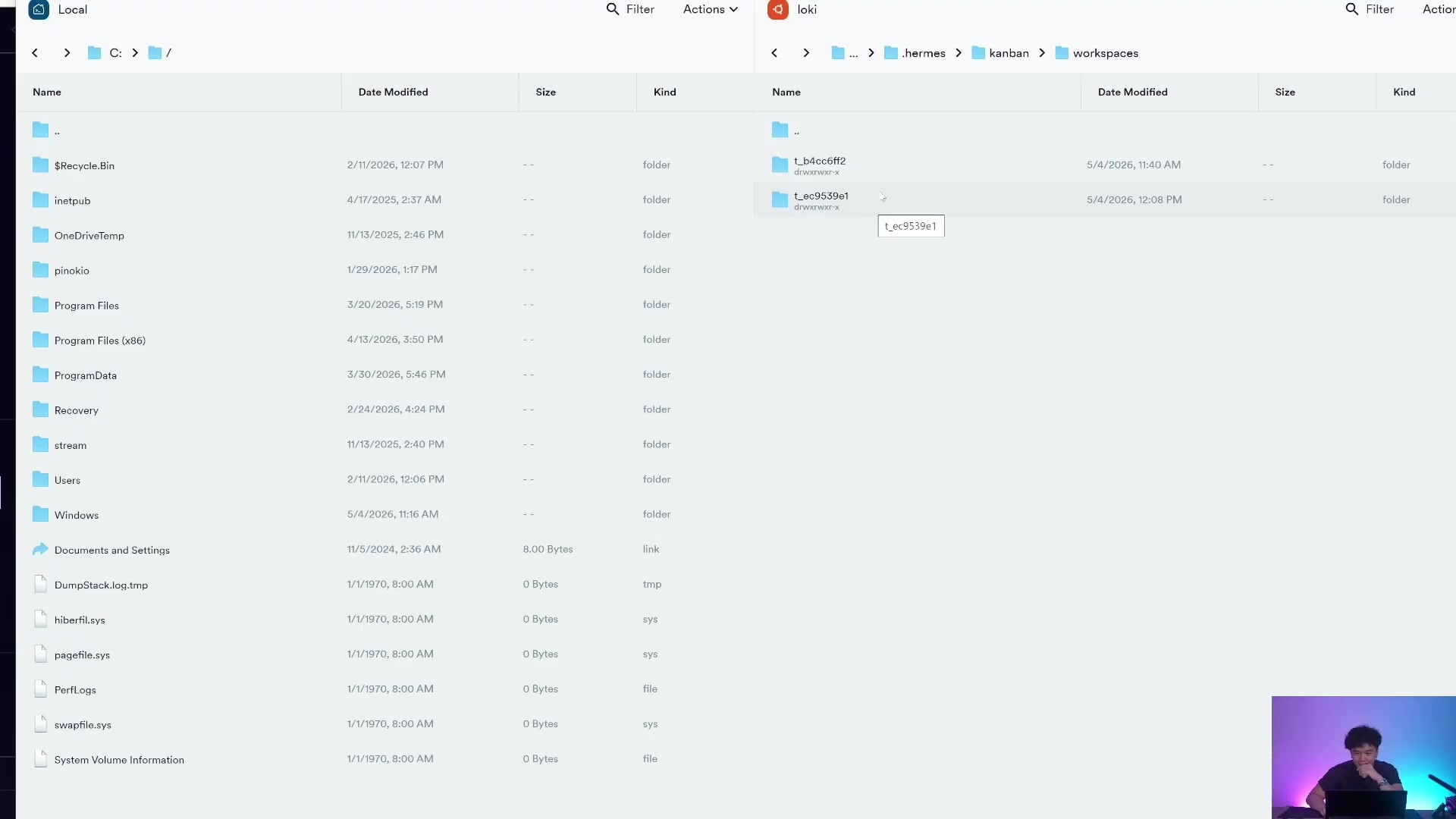
profile 放员工身份与配置;kanban workspace 放任务产物。
处理阻塞、重试和恢复
真实任务一定会卡住,所以 Kanban 的价值不只是“自动执行”,还包括恢复能力。
当 worker 需要人类输入时,它会把任务变成 blocked。你可以补充评论再 unblock:
hermes kanban comment <task-id> "采用 2026 版 schema,不要用旧字段"
hermes kanban unblock <task-id>
如果 worker 卡死或配置错误,可以 reclaim 或 reassign:
# 释放当前 running claim,让任务回到可重新领取状态
hermes kanban reclaim <task-id>

# 改派给另一个 profile,并顺手 reclaim
hermes kanban reassign <task-id> reviewer --reclaim
如果你需要人工标记完成,也可以写入结构化 handoff:
hermes kanban complete <task-id> \
  --result "文章初稿已完成" \
  --summary "已根据研究结果完成 1200 字中文初稿,包含标题、痛点、方案和 CTA" \
  --metadata '{"artifact":"draft.md","verification":["人工通读一遍"]}'
回到具体 worker 会话排查
如果某个 worker 的结果有问题,可以恢复它所属 profile 的会话,而不是回到主 profile 里猜。
hermes --profile researcher sessions list
hermes --profile researcher --resume <session-id>
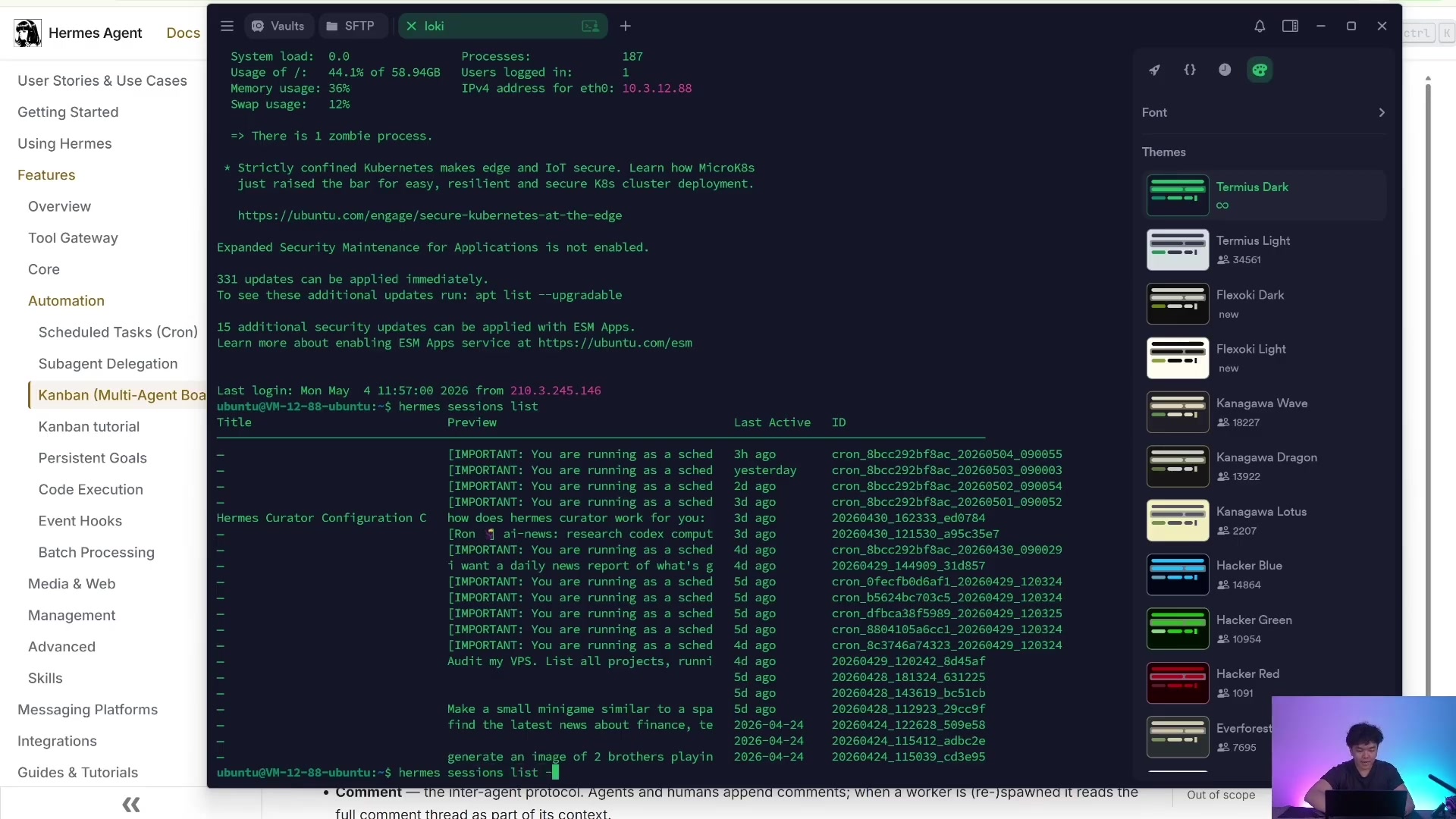
多 profile 的会话是分开的,这正是角色隔离的一部分。
Dashboard:给人看的控制台
CLI 适合自动化,Dashboard 适合人类监督。你可以打开 Hermes Dashboard,在 Kanban tab 里看任务列、拖拽状态、查看评论、检查运行记录。
hermes kanban init
hermes dashboard
如果只想本机访问,保持默认 127.0.0.1。不要随便把 dashboard 暴露到公网,因为 Kanban 里会有任务正文、评论、workspace 路径和执行结果。
飞书是前台,Kanban 是流水线
飞书、Telegram、Slack 这类入口不只是聊天窗口,它们可以成为需求入口、交接台和审批台。Kanban 则是工作队列:需求进入看板,被拆解、执行、审核,最后回传结果。这样,多 profile 才能像流水线一样协作。
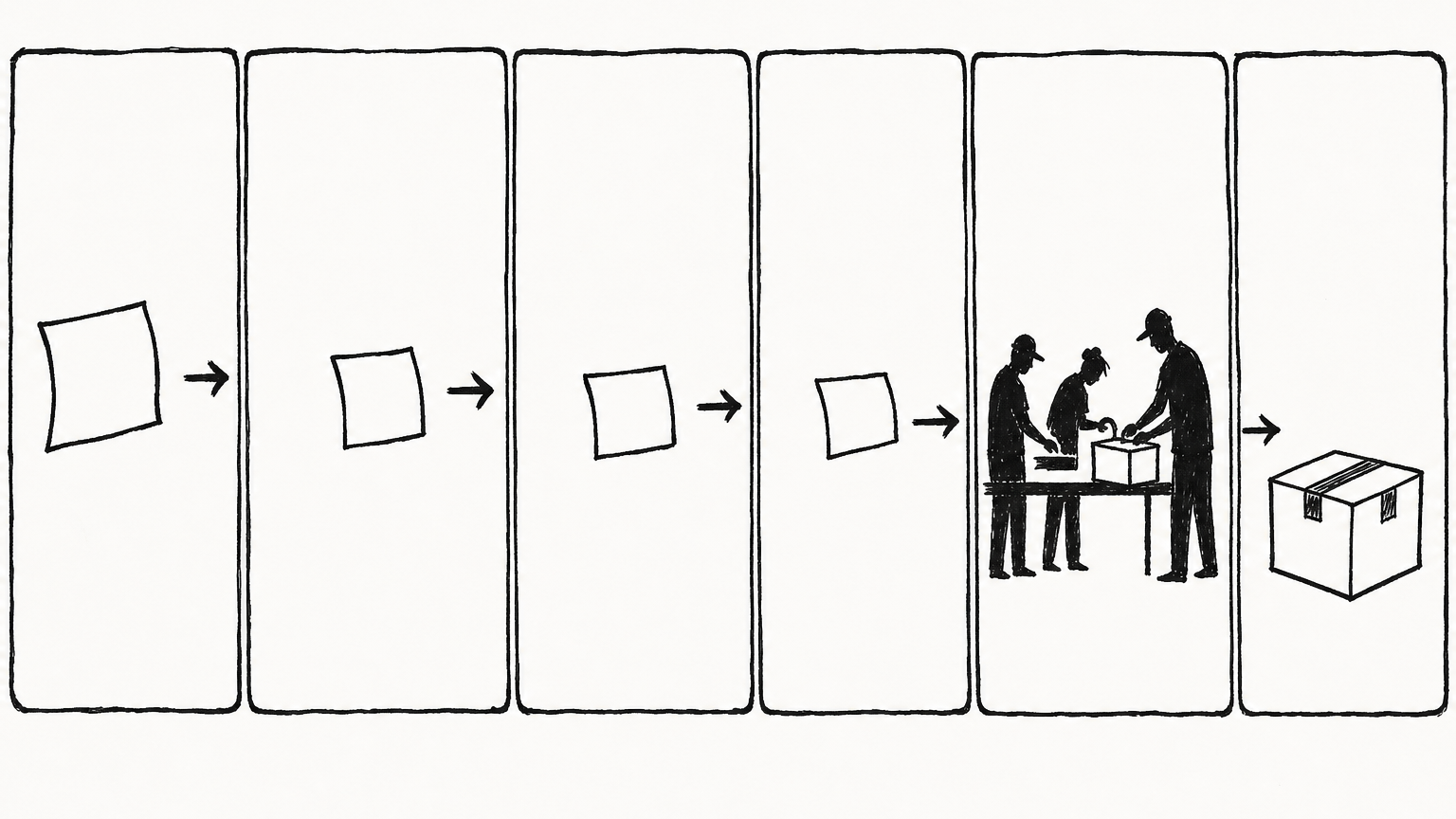
入口、队列、岗位和回传机制连起来,才是可运营系统。
在 gateway 里,你可以直接用 /kanban slash command 管理任务:
/kanban list
/kanban show t_abcd
/kanban create "写一篇产品上线文章" --assignee writer
/kanban comment t_abcd "这里要强调 ROI,不要只讲功能"
/kanban unblock t_abcd
/kanban stats
从 gateway 创建的 Kanban 任务会自动订阅终态事件:完成、阻塞、崩溃、超时等,会回到原聊天里通知你。这就是“前台入口 + 后台流水线”的最小闭环。
四种最适合先落地的工作流
1. 单人功能交付
先让一个 profile 完成一个明确小任务,比如写一份报告、整理一个 Markdown、修一个小 bug。不要一上来就组 5 个员工。
hermes kanban create "整理 10 个竞品页面的 CTA 写法" \
  --assignee researcher \
  --body "输出 Markdown:页面链接、CTA 文案、适用场景、可借鉴点" \
  --workspace scratch
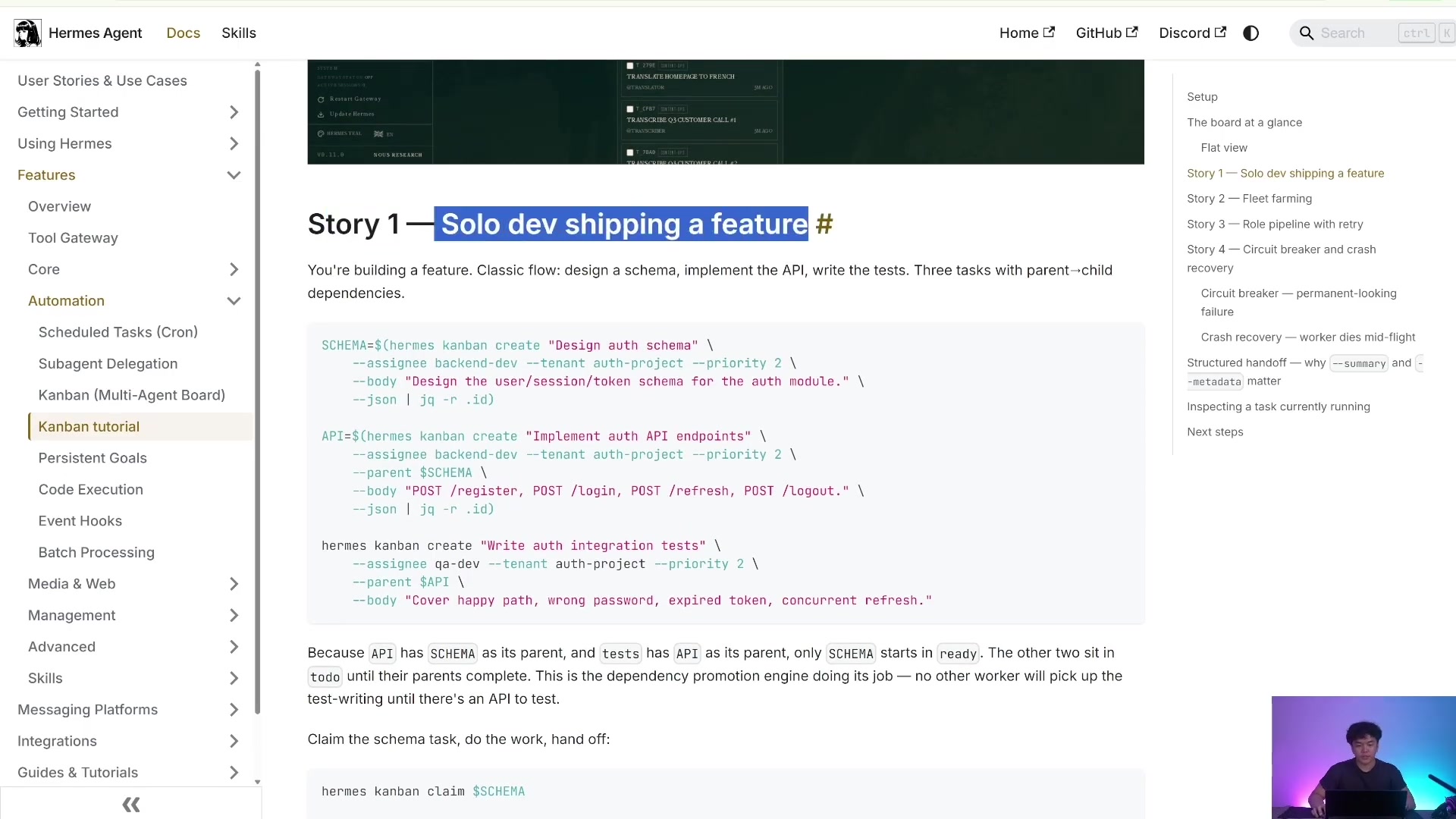
入门不要一开始就追求全自动团队,先让一个岗位稳定交付。
2. 研究 → 写作 → 审核流水线
这是内容生产最常见的结构:researcher 查资料,writer 写初稿,reviewer 验收。
hermes kanban create "调研 Hermes Kanban 的核心概念" \
  --assignee researcher \
  --body "输出概念解释、命令示例、适合场景" \
  --workspace scratch

hermes kanban create "写 Hermes 数字员工系统文章" \
  --assignee writer \
  --parent <research-task-id> \
  --body "基于父任务研究结果,写中文长文,保留命令示例" \
  --workspace scratch

hermes kanban create "审核 Hermes 数字员工系统文章" \
  --assignee reviewer \
  --parent <writer-task-id> \
  --body "检查命令准确性、结构完整性、是否适合新手照做" \
  --workspace scratch
3. 多角色工程交付
工程任务可以拆成 coder、tester、reviewer。关键是每一步都要把“验收标准”和“产物位置”写进 --body。
hermes kanban create "实现登录接口限流" \
  --assignee coder \
  --body "在当前仓库实现登录接口限流;完成后写明改动文件和测试命令" \
  --workspace dir:/Users/yubinlee/git/my-product

hermes kanban create "验证登录接口限流" \
  --assignee reviewer \
  --parent <coder-task-id> \
  --skill github-code-review \
  --body "查看父任务改动,运行测试,指出风险;不要直接合并" \
  --workspace dir:/Users/yubinlee/git/my-product
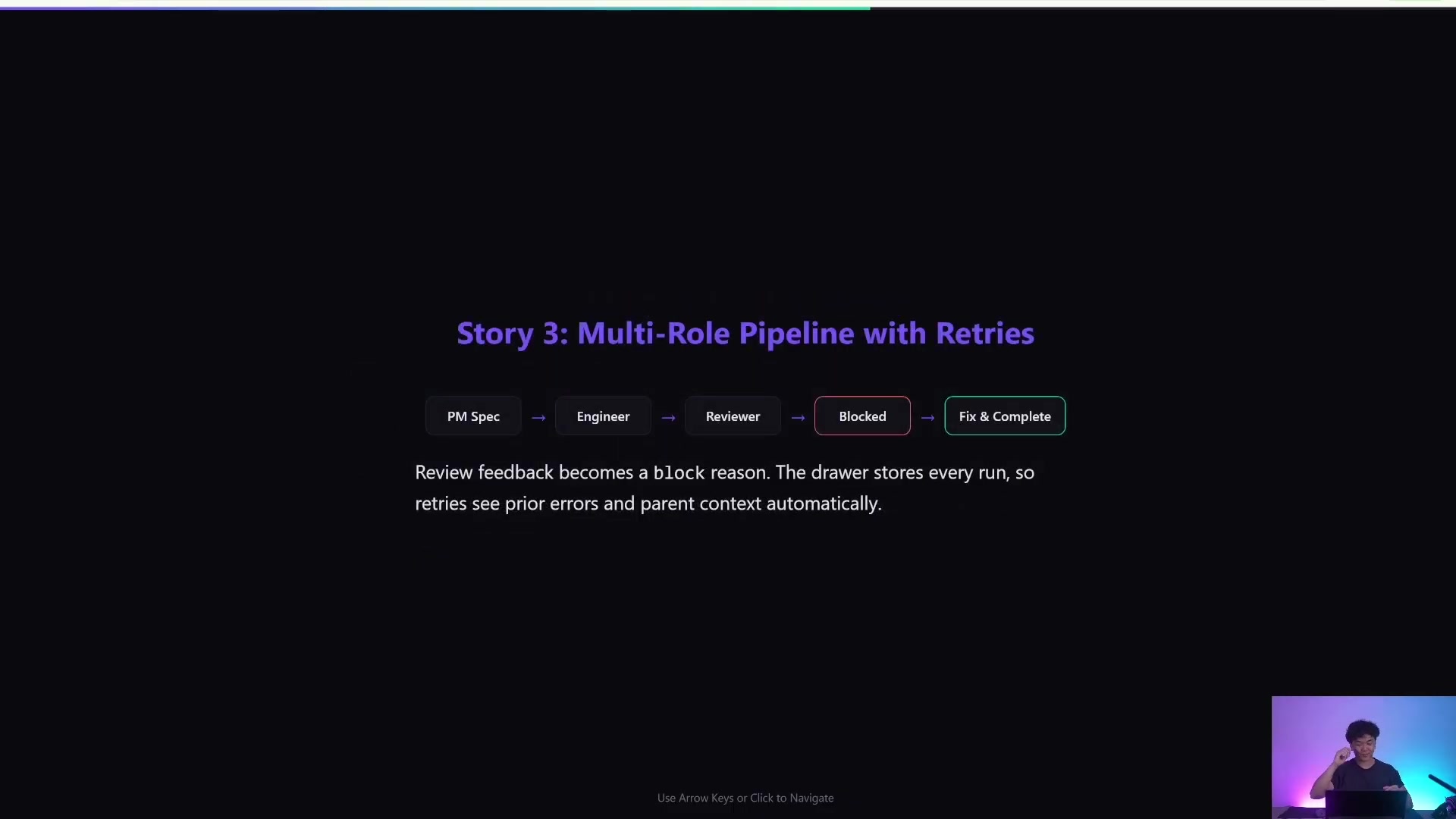
它更像可观察的工作流系统,而不是黑盒式一次性交付。
4. Fleet farming:批量同构任务
当你有 20 个相似任务,比如 20 个关键词页面、20 个社媒账号、20 个竞品分析,可以用同一个 profile 批量创建任务,再用 Kanban 观察吞吐。
hermes kanban create "分析关键词 A 的 SERP" --assignee researcher --body "输出搜索意图、竞品、内容结构" --workspace scratch
hermes kanban create "分析关键词 B 的 SERP" --assignee researcher --body "输出搜索意图、竞品、内容结构" --workspace scratch
hermes kanban create "分析关键词 C 的 SERP" --assignee researcher --body "输出搜索意图、竞品、内容结构" --workspace scratch
hermes kanban watch --assignee researcher
安全边界别搞错
Profile 解决的是身份和上下文隔离,不等于安全沙箱。不可信代码、陌生仓库、高风险命令,仍然应该放进 Docker、Daytona 等 sandbox;密钥也要按 profile 分离,避免一个员工拿到全部权限。

Profile 不是保险箱,Sandbox 才是执行层安全边界。
实操上建议:
orchestrator不要给太多执行类权限,尽量让它只路由任务。researcher可以有 web/search 权限,但不一定需要生产系统密钥。coder可以访问代码仓库,但高风险仓库应使用 sandbox 或 worktree。reviewer可以读 diff、跑测试,但不应该默认拥有生产发布权限。- 每个 profile 的
.env分开管理,不要把所有 API key 都塞给每个员工。
最小落地路线
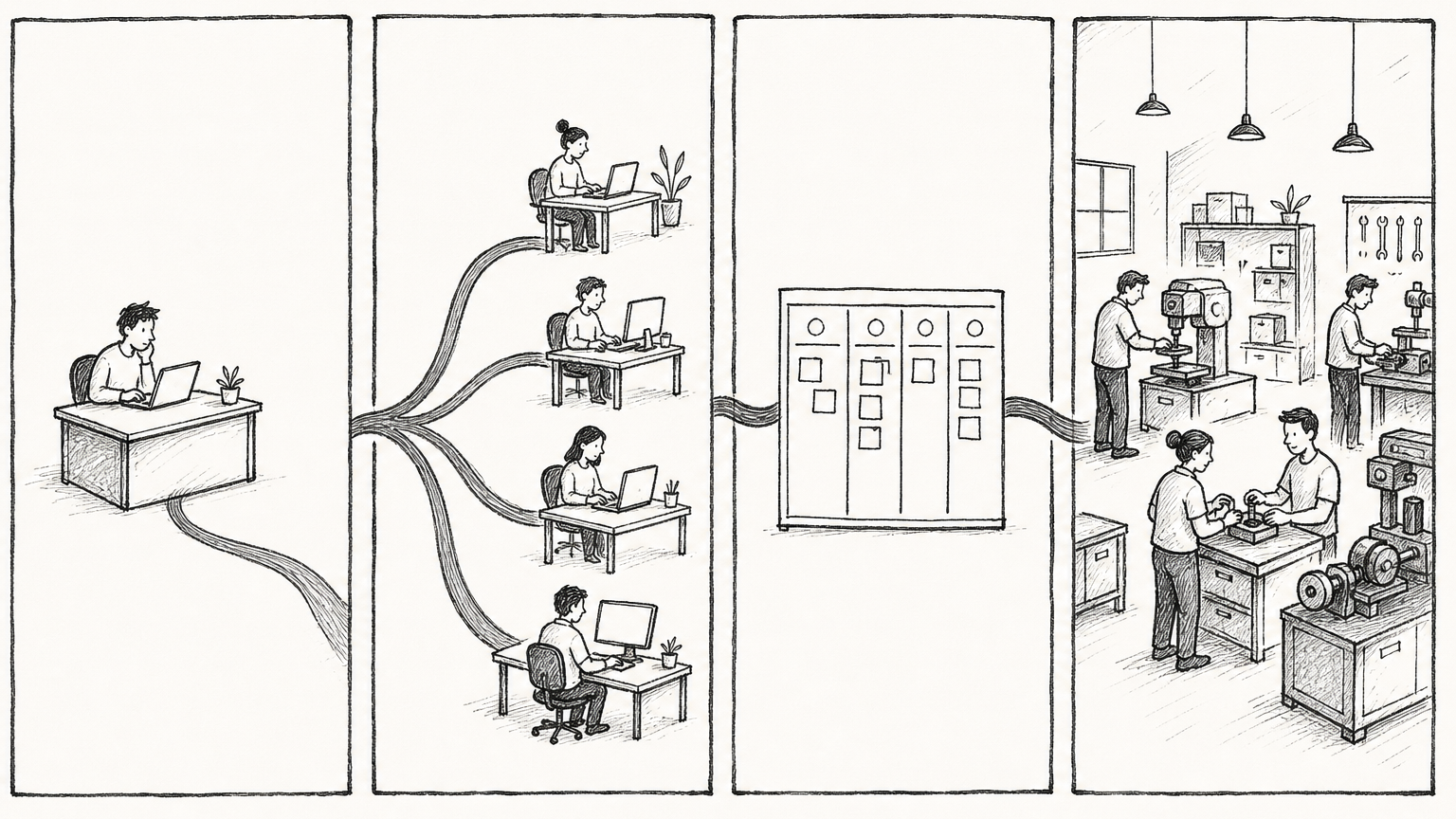
高手不是拥有一个万能助理,而是拥有一套能持续交付的数字员工车间。
推荐按这个顺序搭:
第一步:主 profile 跑通
hermes doctor
hermes model
hermes chat -q "用一句话确认你能正常工作"
第二步:创建 3 个岗位
hermes profile create orchestrator --clone
hermes profile create researcher --clone
hermes profile create writer --clone
hermes profile list
第三步:初始化 Kanban 和 gateway
hermes kanban init
hermes gateway start
hermes kanban stats
第四步:先跑一个单卡任务
hermes kanban create "写一份 500 字的 Hermes Kanban 入门说明" \
  --assignee writer \
  --body "面向新手,必须包含 3 个命令和 3 个注意事项" \
  --workspace scratch

hermes kanban watch
第五步:再让 Orchestrator 拆任务
hermes kanban create "组织完成一篇数字员工系统完整教程" \
  --assignee orchestrator \
  --skill kanban-orchestrator \
  --body "请拆成 researcher、writer、reviewer 三阶段。每张卡写清楚输入、输出、验收标准。不要自己完成全部任务。" \
  --workspace scratch
第六步:用 Dashboard 或 slash command 运营
hermes dashboard
或者在 Telegram / 飞书 / Slack 里:
/kanban list
/kanban show <task-id>
/kanban comment <task-id> "补充要求:文章要更适合小白"
/kanban unblock <task-id>
结论
Hermes 的强点不是“一个 AI 助理更聪明”,而是可以把 AI 工作组织化:Profile 让员工有身份,Orchestrator 让任务能被拆解,Kanban 让执行过程可观察、可恢复、可复盘,Gateway 让人类能在熟悉的聊天入口参与协作。
最小可行系统就是:一个主 profile、一个 orchestrator、一个 researcher、一个 writer、一个 Kanban board。先让它稳定交付一篇文章或一个小功能,再逐步扩展成 researcher / coder / reviewer / publisher 的数字员工车间。